Big Update
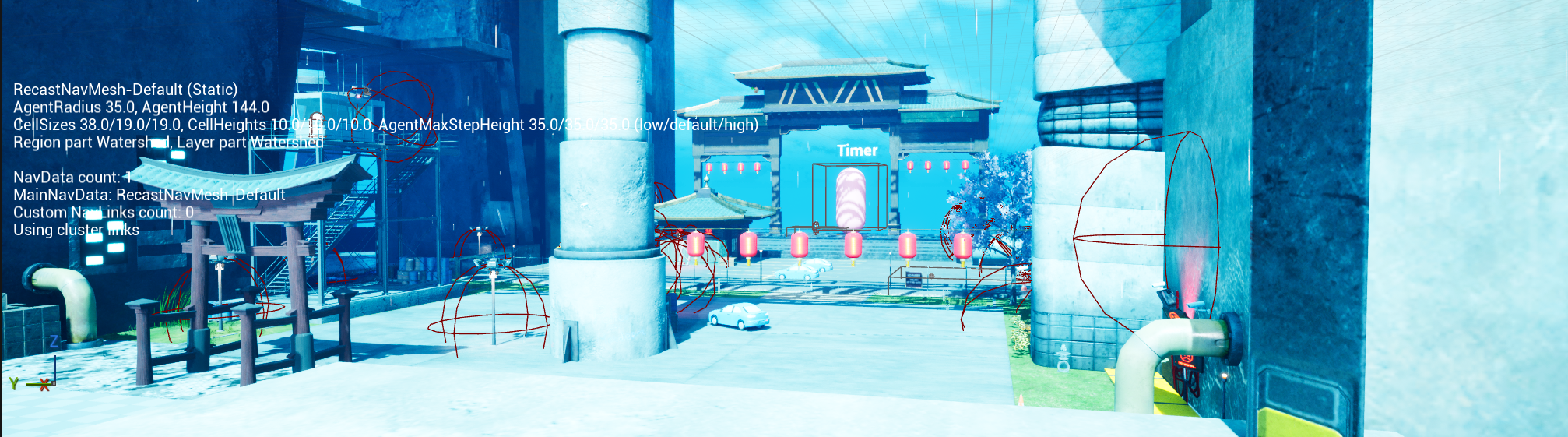
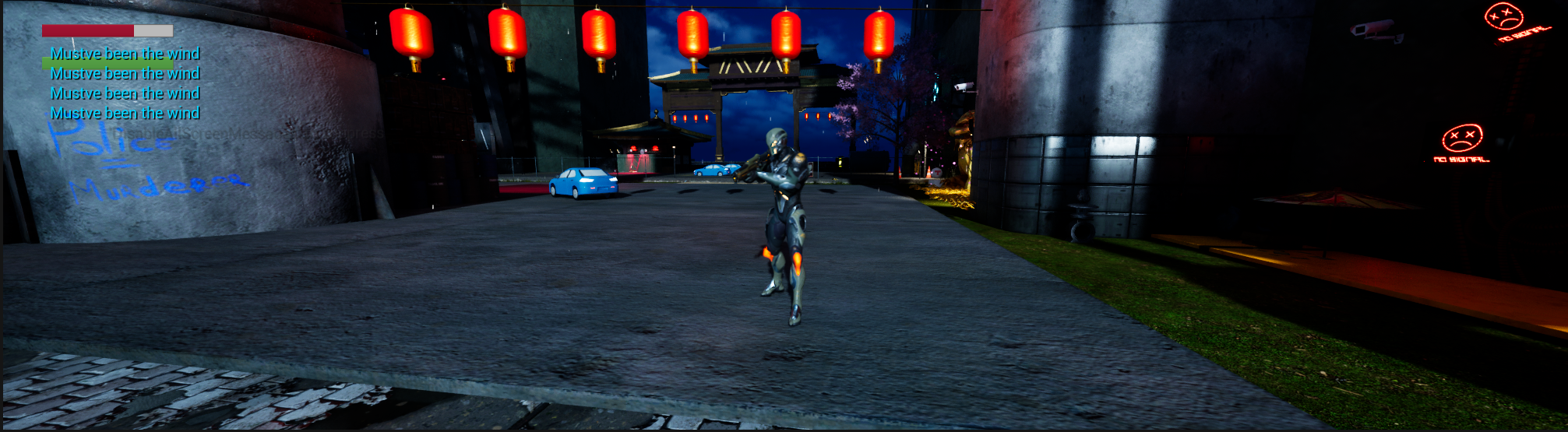
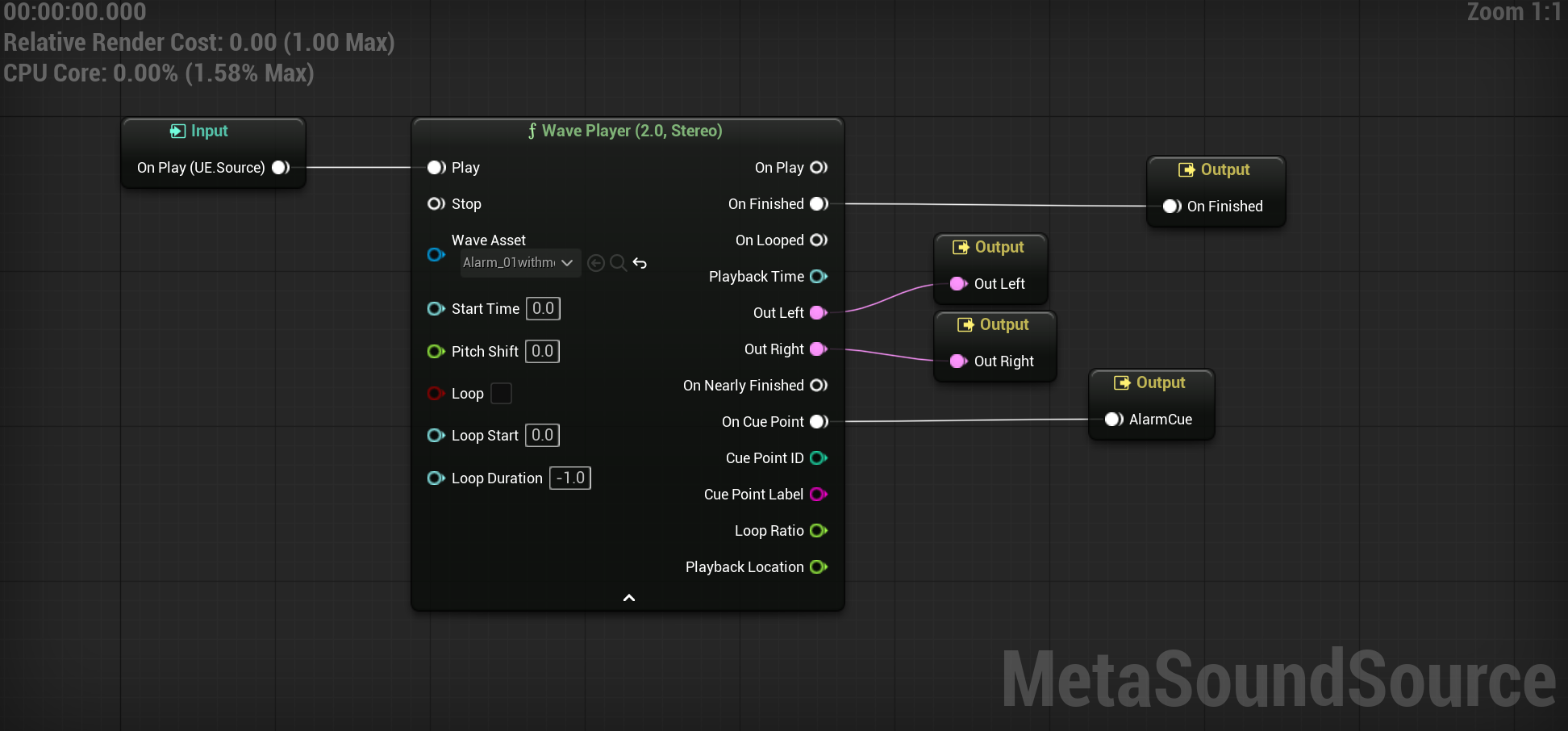


Before I begin, one of the things I want to make sure I outline is what we did in class together. In class we had an enemy stealth system, a save and load system, and A distractible throwing item, all of which I included in my level. Other things I brought over from coding 1 include some of Brian's assets and the door and key system. All of which work as expected with the exception of the enemy AI which required a few reworks and debugs on my part. The door and key are how you finish the level, as you exit the hedge maze with the door and key.
SUSPICION METER
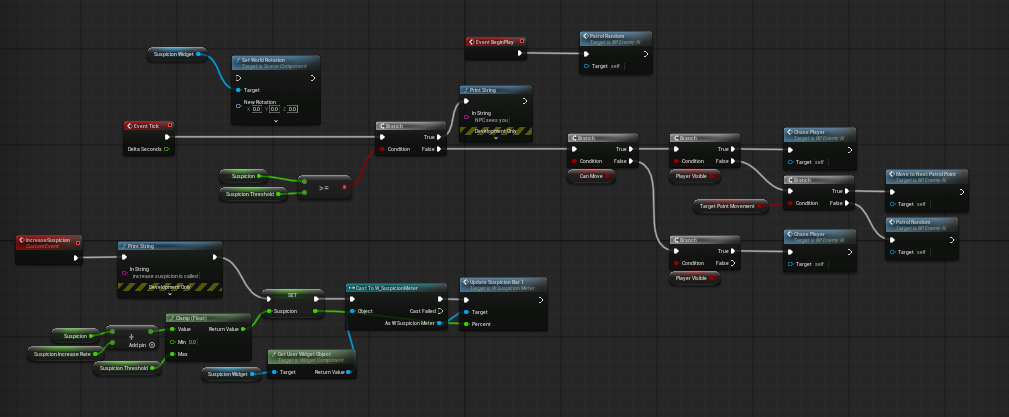
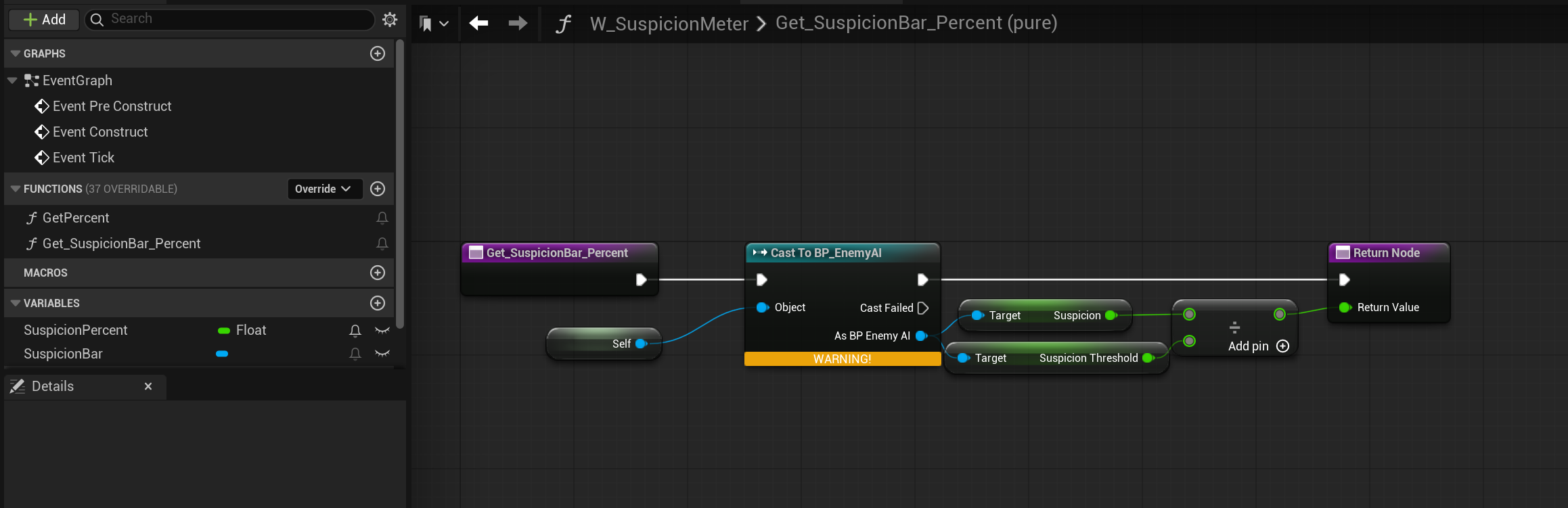
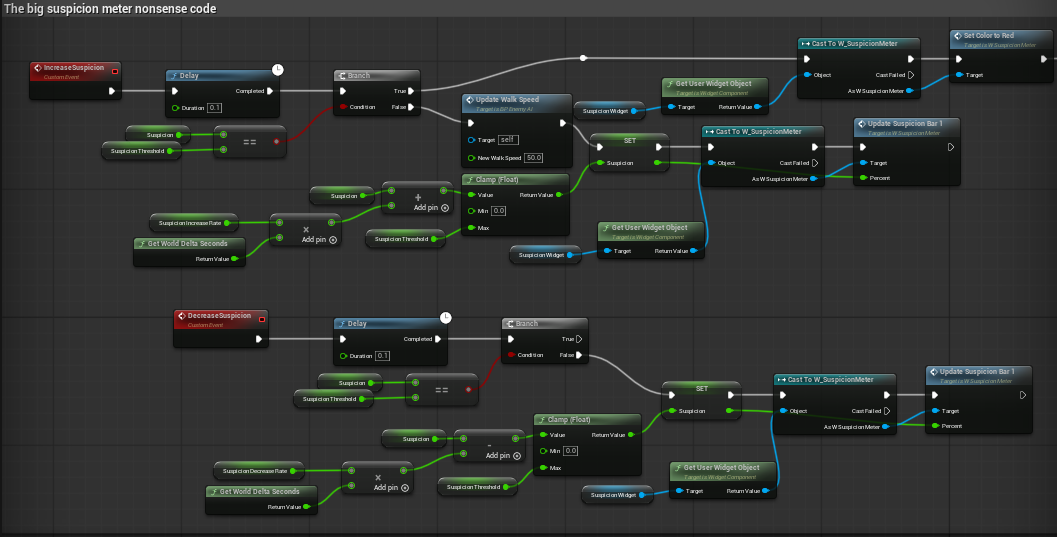
The first thing I wanted to make sure I did was improve upon the already built enemy detection system. I started with the already existing code and then, building off of another student's already built prototype, I decided to do everything that I could to make it so that it was as polished as it could possibly be. I started out with making the widget, which is something that I had done previously for the stamina and health meters so that part wasn't too hard to implement. The difficult part was writing the blueprint later for everything else that followed. The first thing I did was build upon the code that we did in class and attach that logic to the meter that I had made. I attached it to BP_enemy AI and had a widget component floating above the AI's head.
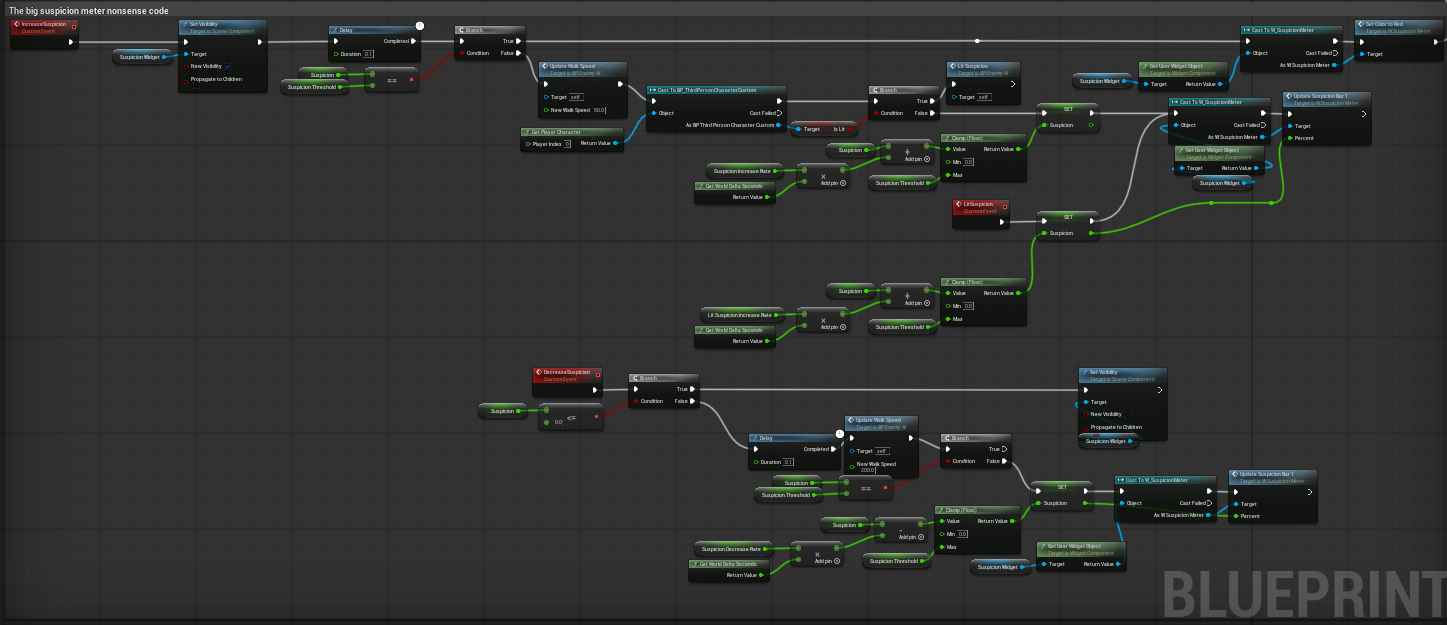
Following this, I added the ability for the widget to change color to yellow when the AI is suspicious, and red when the AI is hostile. After some trial and error, I got it to work as intended. The next thing I wanted to do, since this is going to be a dark level, was make it so that when the player is illuminated, the AI's suspicion meter fills up twice as fast. This was relatively simple, since all I did was add a collision box around all the light sources and make it so that when the player enters the light source, a boolean is triggered where it's illuminated when it walks in and deactivates when it walks out.
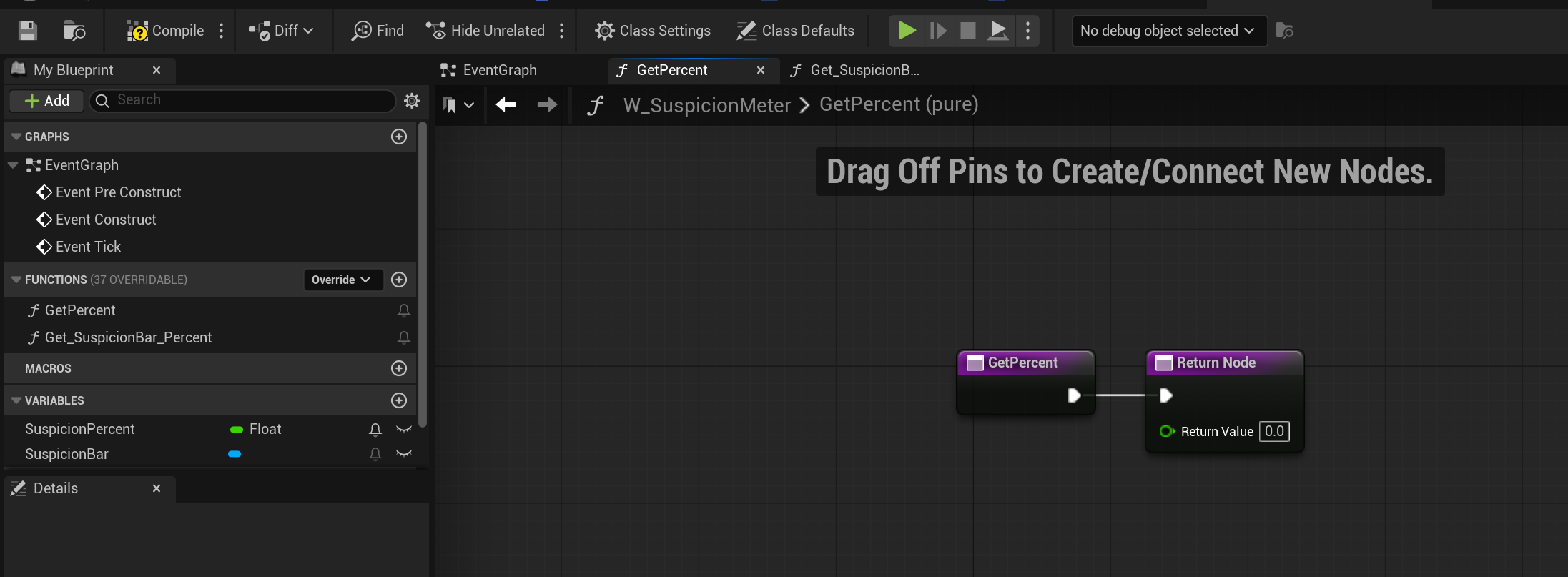
Upon further investigation and feedback from friends, I realized two other optimization features that needed to be added. I wanted the meter to always face the camera, and I wanted the meter to be invisible when suspicion <= 0. I was able to get this done through the following code:
My reasoning for focusing on the light source mechanic in particular is so that I can add tension to the stealth gameplay, as well as forcing the player to be a little more cautious when it comes to maneuvering the level.
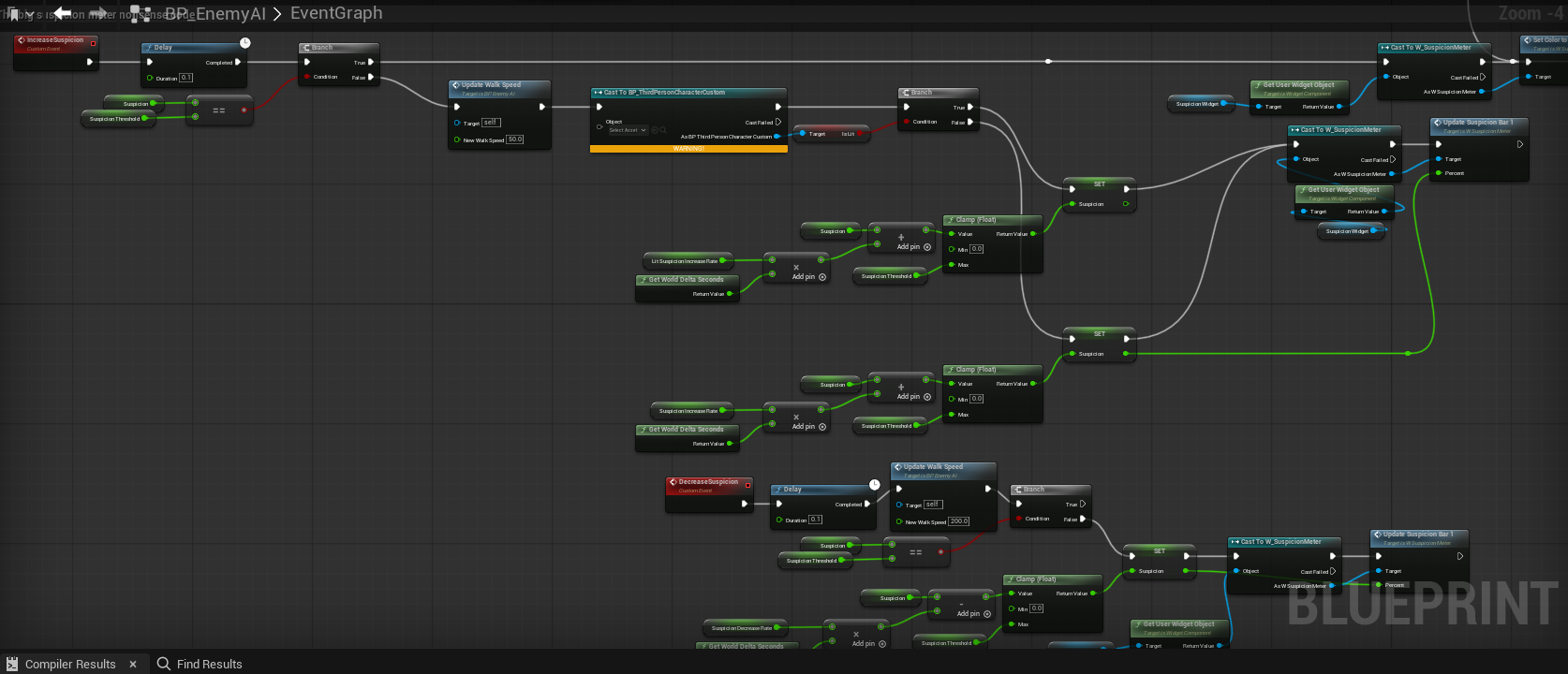
This is a screenshot of the finalized version of the suspicion meter blueprint. This whole level is entirely built upon this one mechanic, and every following design choice was made with it in mind.
EXTRAS
Health Item – I added a health item that increases your health by 2 points. I added it in the level in an optional area, so the player has to decide if it’s worth grabbing the item or not.
Note: As it stands, getting captured or running into a death wall is an auto-death. Health mechanics will be added later.
Shooting – base logic made. I will have to import and change some stuff from another existing project. TBD
LEVEL EDITING
Then came actually building the level. The first and most important part was that the atmosphere was correct, so the first thing that I worked on was building a night scene. I followed a few YouTube tutorials and eventually landed on a setting that I was happy with. Afterwards, I used similar YouTube tutorials to add both Thunder and rain with appropriate visual and audio effects. Again, after some feedback, I adjusted the lightning in particular to be at a point where it did its job effectively, which is to add to the tense atmosphere. The following is a short clip of the atmospheric effects:
Next came the actual implementation of the hedge maze including the maze itself and the things that inhabit it. I found a gargoyle statue asset on fab that I used, specifically as a way to provide cover and temporary relief for the player. I also added lamp posts scattered around which signify danger and generally mean that there is a guard patrolling.
I am doing this at the last minute to be honest. The hedge maze works as expected, providing the right atmosphere. However, one thing that I don't have the time to fix tonight is the difficulty. I think the difficulty is way too easy, and I plan on adding various different things in the future to increase immersion, the difficulty, and a more engaging gameplay loop. As it stands, the only missing attribute as far as the requirements are concerned is that I did not have a solid foundation for animation. The animations do not transition smoothly into one another, and the Crouch animation is not present at all. That's my fault, I probably should have spent more time doing the basics then getting so sidetracked on stuff that ultimately wasn't necessary. I included this for full transparency.
Level Run Through:
https://youtu.be/KHW41Q3tGQI?si=4S66oYbppjbE5NVd
The first thing I started working on after my midterm, which was successful, was the implementation of UI. I specifically wanted to make a pleasing main menu and options menu. For the main menu, I wanted to include start, new game (currently unfinished), An options menu, and an exit game. The options menu works as intended, with various quality of life controls. I included vsync enabling options, graphics options, and a still work in progress language option. I know a few people who speak a variety of different languages, and my hope is that before the end of the semester, we will have a full Spanish and Japanese language preset. On the visual end, When the mouse hovers over one of the options and animation will play, dictating that is being hovered over. In blueprint, it is a progress bar with 50% opacity. When one of the options is selected, it will turn blue.
From scratch, made a variety of sound effects for the main menu. Using a free program on Google called ultra box, I made six different menu sound options, and I made background white noise.
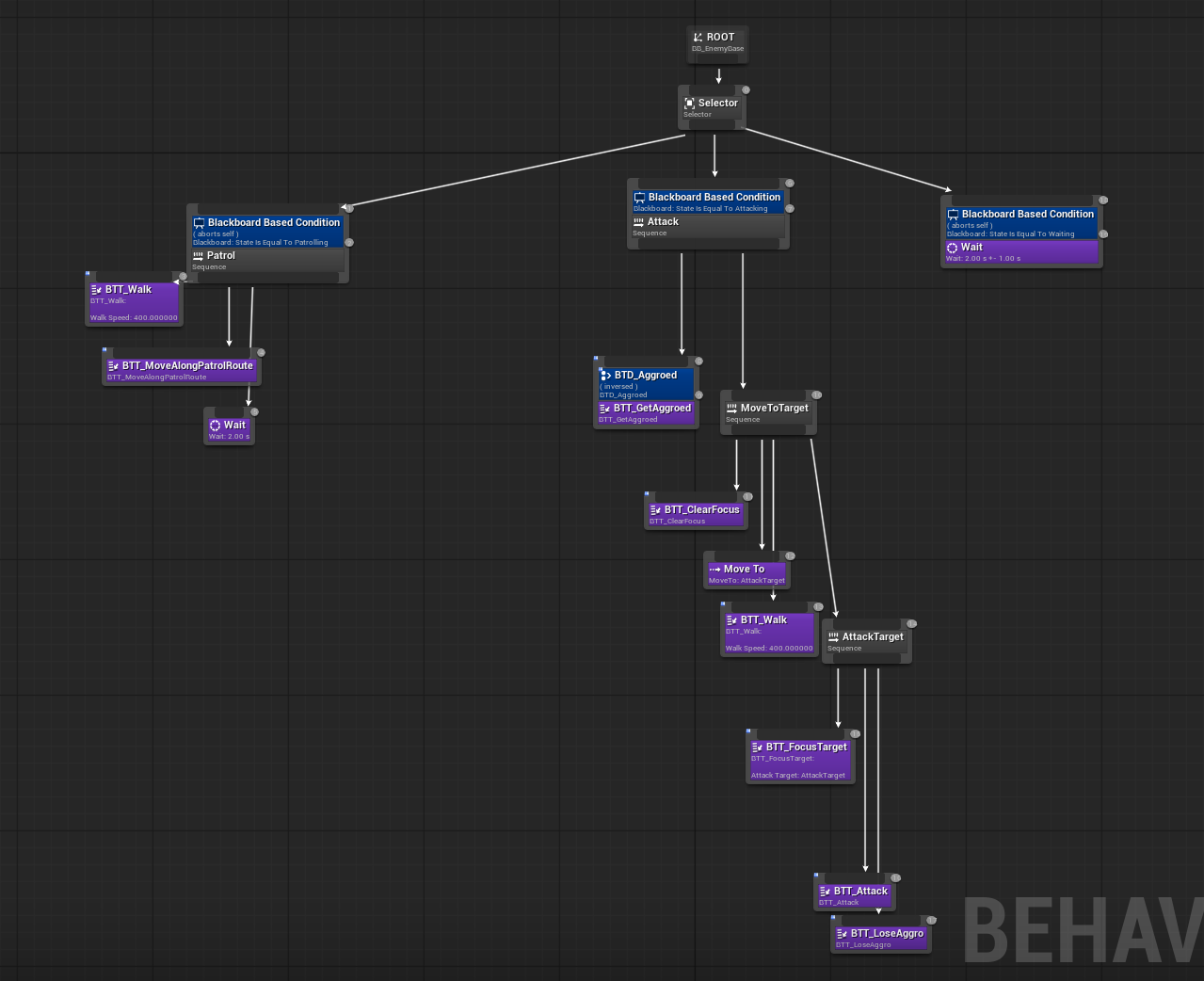
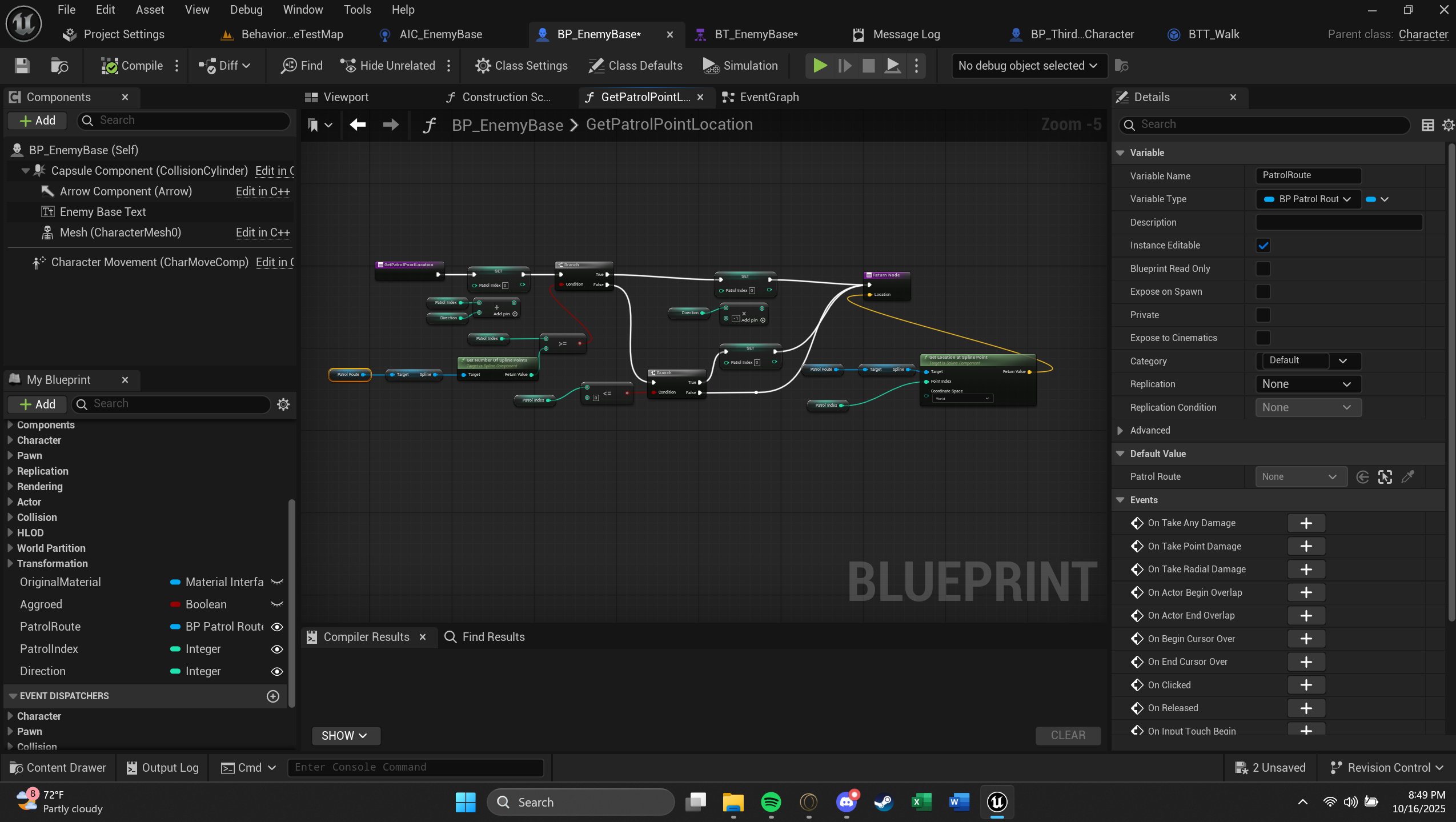
From here, I tried to work on enemy AI as much as I could. I was not happy with how unorganized and all over the place the blueprints were for the current AI system, so I tried to remake it from scratch using behavior trees. Although this was a multi-day long endeavor, it wouldn't make the final cut because I couldn't get it to work in time. Here are some screenshots of the behavior tree I was working on. Hopefully I can update this section later and report that the behavior trees are fully functional and operational.
I also began work on the level design itself. I downloaded some free asset packs as well as ones I had gotten for free as part of Epic Gale’ss weekly deal,
THINGS DONE IN CLASS
Before I begin, one of the things I want to make sure I outline is what we did in class together. In class we had an enemy stealth system, a save and load system, and A distractible throwing item, all of which I included in my level. Other things I brought over from coding 1 include some of Brian's assets and the door and key system. All of which work as expected with the exception of the enemy AI which required a few reworks and debugs on my part. The door and key are how you finish the level, as you exit the hedge maze with the door and key.
SUSPICION METER
The first thing I wanted to make sure I did was improve upon the already built enemy detection system. I started with the already existing code and then, building off of another student's already built prototype, I decided to do everything that I could to make it so that it was as polished as it could possibly be. I started out with making the widget, which is something that I had done previously for the stamina and health meters so that part wasn't too hard to implement. The difficult part was writing the blueprint later for everything else that followed. The first thing I did was build upon the code that we did in class and attach that logic to the meter that I had made. I attached it to BP_enemy AI and had a widget component floating above the AI's head.
Following this, I added the ability for the widget to change color to yellow when the AI is suspicious, and red when the AI is hostile. After some trial and error, I got it to work as intended. The next thing I wanted to do, since this is going to be a dark level, was make it so that when the player is illuminated, the AI's suspicion meter fills up twice as fast. This was relatively simple, since all I did was add a collision box around all the light sources and make it so that when the player enters the light source, a boolean is triggered where it's illuminated when it walks in and deactivates when it walks out.
Upon further investigation and feedback from friends, I realized two other optimization features that needed to be added. I wanted the meter to always face the camera, and I wanted the meter to be invisible when suspicion <= 0. I was able to get this done through the following code:
My reasoning for focusing on the light source mechanic in particular is so that I can add tension to the stealth gameplay, as well as forcing the player to be a little more cautious when it comes to maneuvering the level.
This is a screenshot of the finalized version of the suspicion meter blueprint. This whole level is entirely built upon this one mechanic, and every following design choice was made with it in mind.
EXTRAS
Health Item – I added a health item that increases your health by 2 points. I added it in the level in an optional area, so the player has to decide if it’s worth grabbing the item or not.
Note: As it stands, getting captured or running into a death wall is an auto-death. Health mechanics will be added later.
Shooting – base logic made. I will have to import and change some stuff from another existing project. TBD
LEVEL EDITING
Then came actually building the level. The first and most important part was that the atmosphere was correct, so the first thing that I worked on was building a night scene. I followed a few YouTube tutorials and eventually landed on a setting that I was happy with. Afterwards, I used similar YouTube tutorials to add both Thunder and rain with appropriate visual and audio effects. Again, after some feedback, I adjusted the lightning in particular to be at a point where it did its job effectively, which is to add to the tense atmosphere. The following is a short clip of the atmospheric effects:
Next came the actual implementation of the hedge maze including the maze itself and the things that inhabit it. I found a gargoyle statue asset on fab that I used, specifically as a way to provide cover and temporary relief for the player. I also added lamp posts scattered around which signify danger and generally mean that there is a guard patrolling.
I am doing this at the last minute to be honest. The hedge maze works as expected, providing the right atmosphere. However, one thing that I don't have the time to fix tonight is the difficulty. I think the difficulty is way too easy, and I plan on adding various different things in the future to increase immersion, the difficulty, and a more engaging gameplay loop. As it stands, the only missing attribute as far as the requirements are concerned is that I did not have a solid foundation for animation. The animations do not transition smoothly into one another, and the Crouch animation is not present at all. That's my fault, I probably should have spent more time doing the basics then getting so sidetracked on stuff that ultimately wasn't necessary. I included this for full transparency.
Level Run Through:
https://youtu.be/KHW41Q3tGQI?si=4S66oYbppjbE5NVd
The first thing I started working on after my midterm, which was successful, was the implementation of UI. I specifically wanted to make a pleasing main menu and options menu. For the main menu, I wanted to include start, new game (currently unfinished), An options menu, and an exit game. The options menu works as intended, with various quality of life controls. I included vsync enabling options, graphics options, and a still work in progress language option. I know a few people who speak a variety of different languages, and my hope is that before the end of the semester, we will have a full Spanish and Japanese language preset. On the visual end, When the mouse hovers over one of the options and animation will play, dictating that is being hovered over. In blueprint, it is a progress bar with 50% opacity. When one of the options is selected, it will turn blue.
From scratch, made a variety of sound effects for the main menu. Using a free program on Google called ultra box, I made six different menu sound options, and I made background white noise.
From here, I tried to work on enemy AI as much as I could. I was not happy with how unorganized and all over the place the blueprints were for the current AI system, so I tried to remake it from scratch using behavior trees. Although this was a multi-day long endeavor, it wouldn't make the final cut because I couldn't get it to work in time. Here are some screenshots of the behavior tree I was working on. Hopefully I can update this section later and report that the behavior trees are fully functional and operational.
I also began work on the level design itself. I downloaded some free asset packs as well as ones I had gotten for free as part of Epic Game's weekly deal.
Files
Get Game Design 1 Stealth Game
Game Design 1 Stealth Game
More posts
- Sound11 hours ago
- UI11 hours ago
- Materials11 hours ago
- Lighting and VFX11 hours ago
- Walkthrough video and build that actually works11 hours ago
- August 25th updateAug 25, 2025
Leave a comment
Log in with itch.io to leave a comment.